Crucial is Micron's consumer brand, which means the memory and SSDs are made by one of the few companies that actually fabricates the chips. That matters for consistency, but it does not save you from buying the wrong part.
Compatibility is the whole first step
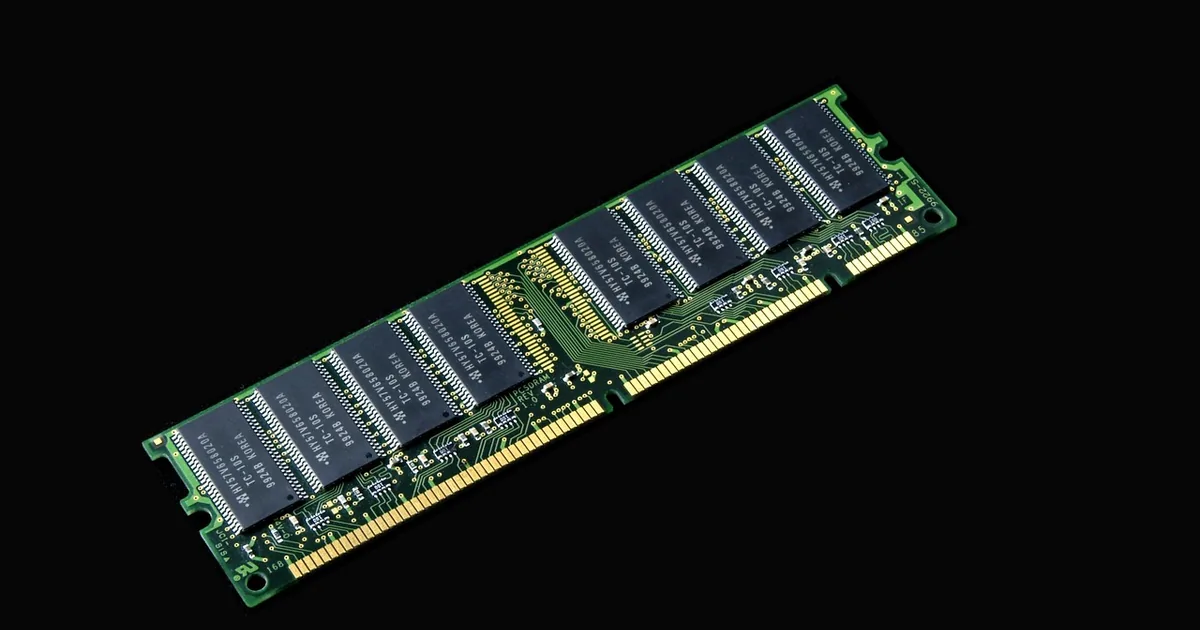
RAM is not universal. A stick has to match your machine on generation, form factor, speed and capacity limit.
Generation — DDR4 and DDR5 are physically incompatible. A DDR5 stick will not fit a DDR4 board, and there is no adapter.
Form factor — DIMM for desktops, SODIMM for laptops and small-form-factor machines.
Capacity limit — every motherboard has a maximum per slot and in total. Exceeding it means the machine will not boot or will ignore the extra.
Crucial runs a system scanner and a compatibility tool for exactly this. Use it. It is the single best reason to buy Crucial memory over a cheaper unbranded stick, and it costs nothing.
If you are adding rather than replacing, match the existing sticks as closely as you can. Mismatched speeds run at the slowest module's rate, and mismatched capacities can disable dual-channel operation.
NVMe versus SATA
This is the other decision people get wrong, usually by buying a fast drive a machine cannot use.
SATA SSDs are limited by the interface to roughly 550 MB/s. Still a transformative upgrade from a hard drive, and the right choice for older machines.
NVMe SSDs use PCIe and run several times faster — but only if your motherboard has an M.2 slot wired for NVMe. Some M.2 slots are SATA-only, which looks identical and is not.
Check the manual for your board before buying. An NVMe drive in a SATA-only M.2 slot either will not work or will run at SATA speed.
DRAM cache, and why cheap drives feel slow
SSDs with an onboard DRAM cache maintain their speed under sustained writes. DRAM-less drives are fast in short bursts and slow down markedly once the cache is exhausted.
For a boot drive and general use, DRAM-less is adequate and the price difference is real. For large file transfers, video work or anything sustained, the drive with DRAM is worth the extra.
Benchmark headline numbers measure the burst. The sustained-write figure is the one that reflects how a drive behaves when you are actually working.
Warranty and installation
Crucial memory typically carries a limited lifetime warranty and the SSDs a multi-year one, and the warranty follows the part rather than the machine.
Keep the order record. Warranty claims on memory are common enough that this is worth two minutes now.
On installation: discharge static before handling, seat RAM firmly until both clips engage, and expect the first boot after a memory change to take longer than usual while the board trains the modules. That is normal, not a fault.
Laptops, soldered memory and Crucial portable SSDs
Before buying Crucial RAM for a laptop, confirm the memory can be changed at all. Many thin laptops have memory soldered to the board, and no Crucial module will fit however well the specifications match.
The Crucial scanner reports how many slots are free and what is already installed. If it shows no upgradeable slots, your money is better spent on storage or a Crucial portable SSD instead.
Some laptops have one soldered bank and one free slot. Adding a Crucial module to the free slot works, but the pair only runs in dual channel if the sizes match, so a small soldered amount plus a large stick is an uneven setup.
Crucial also sells portable SSDs in its X range. The speed you get from one depends on the port and cable as much as on the drive.
A fast Crucial portable drive plugged into an older USB port runs at that port's speed. Check which USB standard your computer supports before paying extra for a faster model, and use the cable that came in the box, since a cheap charging cable can limit transfer speed badly.
For backups, a portable Crucial SSD is fast and tough. It is still one copy. Keep an important archive in two places, not on a single drive of any make.
Where the Crucial savings are
Crucial's discounts are modest and frequently category-specific:
Codes scoped to a memory generation or a product family are common, so a code that fails is usually one for a different category rather than an expired one.
Memory and SSD prices move with the wider market more than with promotions. A 20% code during a period of high flash prices can still be worse than the base price a few months later.
Check whether a Crucial code excludes items already on promotion before stacking the maths in your head. Where it does, compare the promotion price with the full price minus the code, and pick the lower.
Common questions
How do I know which Crucial RAM fits?
Use the Crucial system scanner or compatibility tool. Generation, form factor and capacity limit all have to match.
NVMe or SATA?
NVMe if your board supports it. Check whether the M.2 slot is NVMe or SATA-only first.
Does DRAM cache matter?
For sustained writes, yes. For a boot drive and light use, DRAM-less is fine.
Can I add Crucial RAM to any laptop?
No. Many thin laptops have soldered memory. Run the Crucial scanner to see whether a free slot exists.
| Discount | Type | Get the deal |
|---|---|---|
| 10% off | Promo code | View at Crucial → |
| 10% off | Promo code | View at Crucial → |
| 10% off | Promo code | View at Crucial → |
| $10 off | Promo code | View at Crucial → |